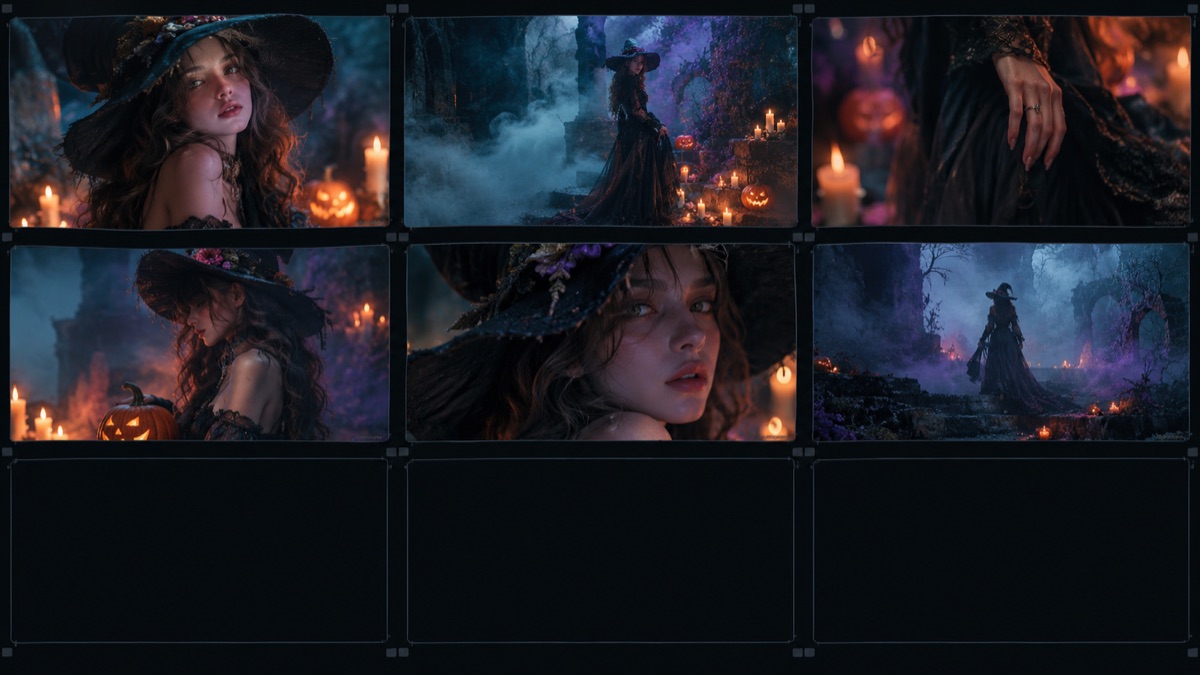
Why Small Motion Wins
Video models are asked to do something image models never do: keep an identity consistent across time. Every frame is another chance to drift. A slow head turn gives the model a simple path. A dance gives it a hundred joints, a moving camera, changing fabric and a new background all at once. The failure rate is not linear; it compounds.
The best five-second Halloween clips use one motion and one atmospheric change. A head turn plus fog. A blink plus candle flicker. A camera push plus a light pulse. That is enough to make a still image feel alive without asking the model to invent a performance.
The Portrait Prompts (1–5)
1. Slow Turn: the subject turns their head toward the camera, hair moves slightly, fog drifts, camera pushes in. 2. Candle Glow: one blink, natural breathing, candle flames flicker, warm highlights shift. 3. Veil Lift: a thin veil moves in a light breeze while the face stays still. 4. Eye Contact: the subject holds the gaze, blinks once and tilts their chin slightly. 5. Shadow Pass: a soft shadow crosses the face as a light source moves off-screen.
All five prompts include the same constraints: keep the face, costume and framing consistent; maintain stable anatomy; do not add characters or cuts. Those lines matter more than the creative description.
- Use a chest-up source image; the face needs pixels.
- Keep the camera move under a few percent of the frame.
- Avoid asking for a smile and a head turn at the same time.
- If the face drifts, reduce the motion before changing the model.
The Atmospheric Prompts (6–10)
6. Fog Drift: low fog moves left to right, leaves tremble, camera glides forward. 7. Candle Hall: candles flicker along a corridor, dust floats, the camera stays still. 8. Backrooms Hum: fluorescent lights pulse, the camera drifts with a slight handheld shake. 9. Rain Window: rain streaks down a window, the subject stays still behind it. 10. Curtain Breeze: a curtain moves in the foreground while the subject remains in focus.
Atmospheric clips are more forgiving because the subject does not have to move. They are a good choice for a pet photo, a couple portrait or a costume detail shot. The motion is in the environment, not the anatomy.
The Pet and Couple Prompts (11–15)
11. Pet Head Tilt: the pet tilts its head, blinks and flicks one ear. 12. Pet Ear Perk: the ears lift, the eyes stay on camera, the tail moves once. 13. Couple Glance: two people glance at each other and smile slightly. 14. Couple Lean: one person leans in a few centimetres while the other holds. 15. Group Freeze: three or more people hold a pose while fog and light move around them.
Group clips are the hardest. If you need more than two people, generate a still image first and animate only the environment. A 'living photo' with drifting fog and a light pulse often looks better than a group of faces melting as they move.
| Model | Input | Cost note | Best for |
|---|---|---|---|
| Wan 2.6 Flash | One image, 5/10/15s, 720p or 1080p | Low-cost tier; check KIE pricing | Fast portrait and atmosphere clips |
| Kling 2.6 | One image, 5s or 10s, optional audio | About $0.28 for 5s without audio | More cinematic motion |
| GPT Image 2 | Image only | About $0.015 for 1K | Create the starting frame |
| Nano Banana | Image edit | About $0.015 | Cheaper starting-frame edits |
What to Do When the Video Breaks
If the face changes, shorten the prompt and remove any expression change. If the hands melt, crop them out of the source or ask for a chest-up frame. If the background pulses, remove the atmospheric element and keep only the camera move. If the whole frame warps, the source image may have a wide-angle distortion; try a different photo.
Do not judge a model by one failed clip. Run the same image through two models with the same prompt. Video quality varies by source, motion and queue conditions. Keep a note of which combination worked so you can repeat it.
Posting a Five-Second Clip
Five seconds is short, so the first frame has to do the work. Use a strong costume image with a clear face and a simple background. Add a caption in the app rather than in the video, and avoid re-uploading the file several times. If you need a vertical format, generate from a portrait-oriented source or crop once, not twice.
Finally, label the clip as AI-generated if the platform asks. The goal is a shareable Halloween idea, not a fake memory. A clear label does not reduce the fun; it protects the trust you are building. Most image-to-video models return silent clips. Do not wait for the model to invent a soundtrack. Add a licensed sound in the app or record a short ambient track: a low room hum, a candle crackle, a distant door. Keep the audio quieter than you think; a loud sound effect makes a five-second clip feel like an ad. If the model supports audio, check the price before enabling it, because audio often doubles the cost. Also check the output codec and frame rate before uploading to a social platform. A standard MP4 with H.264 is the safest choice. If the clip looks stuttery, the source image may be too large or the motion too fast; reduce one of them and regenerate. Run a batch of three images through the same prompt before you judge the model. One clip is an anecdote; three clips show a pattern. Keep a simple log: source image, preset, model, result. After a few sessions you will know which source photos and which motions work for your face, and you can stop guessing. The same log helps you compare providers. If one model keeps the face but makes the background pulse, and another keeps the background but changes the jaw, the choice depends on what you are selling: a character portrait or an atmospheric scene. Write that decision down so you do not re-learn it every October.
Frequently asked questions
Which video model is cheapest?
At the time of writing, Wan 2.6 Flash is the low-cost option in this studio. Prices change; check the provider's pricing page before generating a batch.
Can I generate a 10-second video?
The studio uses five-second clips to control cost and failure rates. Wan supports longer durations, but the free studio limit is one five-second clip per visitor per week.
Why does the face change during the clip?
Motion models struggle to keep identity stable across frames. Use a clean source, a small motion and a prompt that explicitly says to preserve the face and costume.