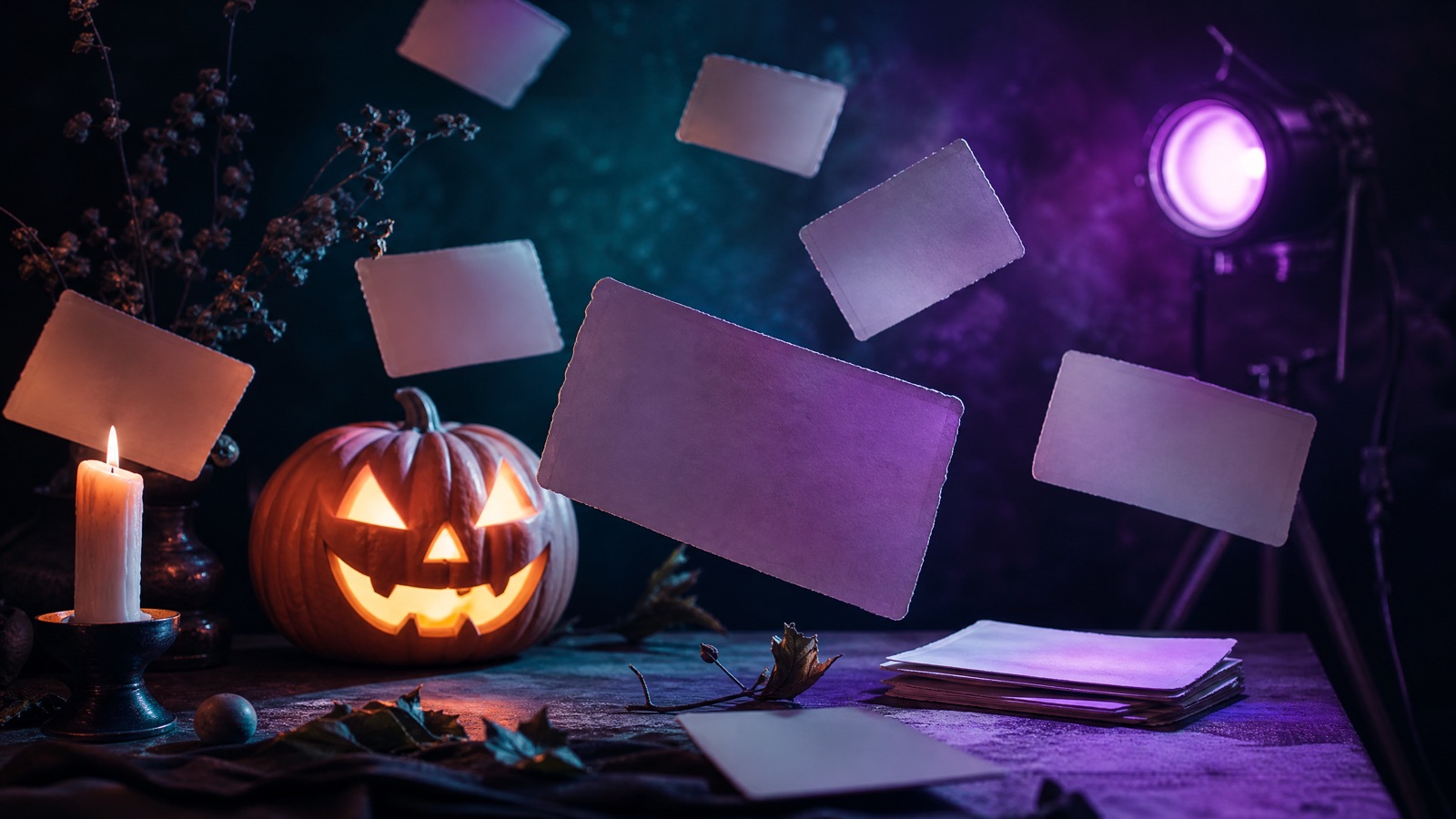
Original concept art generated with GPT Image 2 for this guide.
Copy-ready prompt library
Halloween AI Prompts
A good Halloween prompt is not a list of adjectives. It says what to preserve, what to change, what the scene looks like and what must not appear. These thirty prompts are organized by job, with copy buttons and a direct link to the matching generator.
Updated
Costume portraits
Twelve full-frame costume prompts. Upload a front-facing portrait and keep the identity sentence.
Velvet Court
Use the uploaded photo as the primary reference. Transform the subject into an original gothic royal portrait with a black velvet coat, silver filigree collar, deep burgundy lining and a single pearl earring. Place them in a candlelit stone hall with dark tapestries and soft haze. Use photorealistic editorial photography, realistic fabric texture and warm rim light. Preserve the subject's recognizable facial identity, facial proportions, skin tone and natural anatomy. Avoid altered facial identity, extra limbs, distorted hands, text, logos and watermarks.
Best with a plain background and shoulders visible.
Use the uploaded photo as the primary reference. Change the hairstyle into long violet braids with small silver rings. Dress the subject in a black-and-purple velvet outfit with lace cuffs. Place them in a moonlit Victorian garden with fog, lanterns and dark autumn leaves. Use cinematic editorial portrait photography with realistic skin and fabric detail. Preserve the subject's recognizable facial identity, facial proportions, skin tone and natural anatomy. Avoid altered facial identity, extra limbs, distorted hands, text, logos and watermarks.
Ask for a chest-up crop if the braids get cut off.
Edit the uploaded portrait into an original celestial princess. Replace the outfit with a midnight-blue gown with silver embroidery and small glowing star patterns. Add a thin silver moon crown. Place the subject in an observatory with tall windows, a starry sky and soft blue rim light. Use elegant fantasy fashion photography with realistic fabric. Preserve the subject's recognizable facial identity, facial proportions, skin tone and natural anatomy. Avoid altered facial identity, extra limbs, distorted hands, text, logos and watermarks.
Works best with a neutral pose; avoid crossed arms.
Use the uploaded photo as reference. Create an original haunted unicorn mascot costume: a pearl horn, layered dark mane, silver embroidery and smoky tulle. Place the subject under a foggy carnival archway with warm lanterns and teal shadows. Keep the costume wearable and the face visible. Use photorealistic theatrical portrait photography. Preserve the subject's recognizable facial identity, facial proportions, skin tone and natural anatomy. Avoid altered facial identity, extra limbs, distorted hands, text, logos and watermarks.
Do not ask for a full mascot head; it removes the face.
Use the uploaded photo as reference. Dress the subject in layered moss-green and charcoal robes with an antler headpiece, dried flowers and aged brass jewellery. Place them in a damp autumn forest with fireflies, low mist and a distant campfire. Use cinematic folk-horror photography, soft green-gold light and realistic textures. Preserve the subject's recognizable facial identity, facial proportions, skin tone and natural anatomy. Avoid altered facial identity, extra limbs, distorted hands, text, logos and watermarks.
A three-quarter pose reads better than a straight-on stare.
Use the uploaded photo as reference. Create a wearable sci-fi hero costume with brushed metal armour panels, a translucent visor that keeps the eyes visible, blue LED accents and articulated shoulders. Use dramatic blue-and-orange studio lighting and realistic reflections. Do not replace the face with a helmet. Preserve the subject's recognizable facial identity, facial proportions, skin tone and natural anatomy. Avoid altered facial identity, extra limbs, distorted hands, text, logos and watermarks.
Avoid full-body shots; armour details merge at small sizes.
Edit the uploaded portrait with fine hand-painted skeleton makeup: bone contours around the eyes, cheeks and jaw, smoky eyeshadow, deep berry lips and subtle silver highlighter. Keep the makeup wearable and the skin texture realistic. Use close-up beauty photography with soft directional light and a dark warm background. Preserve the subject's recognizable facial identity, facial proportions, skin tone and natural anatomy. Avoid altered facial identity, extra limbs, distorted hands, text, logos and watermarks.
Natural light before the edit gives the cleanest skin.
Edit the uploaded portrait with violet contour, acid-green highlight, smudged black liner and subtle cracked-latex texture on the cheekbones. Keep the skin believable and avoid heavy gore. Place the subject against a dark club wall with magenta and green practical lights and light haze. Use editorial beauty photography. Preserve the subject's recognizable facial identity, facial proportions, skin tone and natural anatomy. Avoid altered facial identity, extra limbs, distorted hands, text, logos and watermarks.
Edit the uploaded portrait into an original porcelain doll makeup look: matte pale base, fine crack lines on one cheek, glossy red lips, tiny painted lower lashes and a black ribbon choker. Keep the face recognizable and the cracks decorative, not gory. Use soft studio light and a dusty pink background. Preserve the subject's recognizable facial identity, facial proportions, skin tone and natural anatomy. Avoid altered facial identity, extra limbs, distorted hands, text, logos and watermarks.
Ask for a close crop to keep the crack lines sharp.
Use the uploaded photo as reference. Create an original sea-witch costume with wet-look hair, oxidized silver jewellery, a deep teal gown and translucent shell details. Place the subject on a dark shore with bioluminescent water, sea mist and a cold moon. Use cinematic fantasy photography with realistic wet textures. Preserve the subject's recognizable facial identity, facial proportions, skin tone and natural anatomy. Avoid altered facial identity, extra limbs, distorted hands, text, logos and watermarks.
Avoid asking for a tail; it usually breaks the pose.
Use the uploaded photo as reference. Dress the subject as an original carnival ringmaster in a deep red tailcoat, black top hat, gold embroidery and leather gloves. Place them in a foggy circus tent with warm spotlights and empty seats. Use theatrical editorial photography with rich reds and warm highlights. Preserve the subject's recognizable facial identity, facial proportions, skin tone and natural anatomy. Avoid altered facial identity, extra limbs, distorted hands, text, logos and watermarks.
A top hat can hide the hairline; check the forehead.
Use the uploaded photo as reference. Create an original frost queen with a pale blue gown, crystalline shoulder pieces, silver-white hair and ice-like jewellery. Place the subject in a frozen hall with blue light, drifting snow and a dark arched window. Use cinematic fantasy photography with realistic ice refractions. Preserve the subject's recognizable facial identity, facial proportions, skin tone and natural anatomy. Avoid altered facial identity, extra limbs, distorted hands, text, logos and watermarks.
Six pet prompts written for fur, muzzle and paw preservation.
Pumpkin Pet
Use the uploaded pet photo as the primary reference. Preserve the animal's breed, fur colour, markings, eye colour and natural anatomy. Dress the pet in a soft pumpkin costume with a green leaf collar. Keep the costume clear of the eyes, ears and muzzle. Place the pet in a warm autumn studio with miniature pumpkins. Use photorealistic pet photography with realistic fur texture. Avoid extra animals, distorted paws, text and watermarks.
Use an eye-level photo with the head fully visible.
Use the uploaded pet photo as the primary reference. Preserve the animal's breed, fur colour, markings and eye colour. Dress the pet in a soft glow-in-the-dark dinosaur costume with felt spikes and a faint green glow along the seams. Keep the costume comfortable and clear of the face. Place the pet in a dark studio with a green rim light and faint star projections. Use photorealistic pet photography. Avoid extra animals, distorted paws, text and watermarks.
Use the uploaded pet photo as the primary reference. Preserve the animal's breed, fur, markings and anatomy. Dress the pet in a plush baked-potato costume with a padded butter pat and soft foil wraps at the sides. Keep the face and ears clear. Place the pet on a warm wooden kitchen counter with soft window light. Create a gently funny photorealistic pet portrait. Avoid extra animals, distorted paws, text and watermarks.
Use the uploaded pet photo as the primary reference. Preserve the animal's breed, fur, markings and anatomy. Dress the pet in a rectangular butter-stick costume with a soft yellow wrapper and a small label-free silver foil end. Keep the costume light and clear of the eyes, ears and muzzle. Place the pet on a pale kitchen counter with soft morning light. Use photorealistic pet photography with realistic fabric texture. No text or logos.
Use the uploaded pet photo as the primary reference. Preserve the animal's breed, fur colour, markings and eye colour. Add a soft lion mane collar in warm ochre tones and a small tufted tail piece. Keep the costume comfortable and the face fully visible. Place the pet in a warm savanna-themed studio with tall dry grass and golden light. Use photorealistic pet portraiture. Avoid extra animals, distorted paws, text and watermarks.
Avoid changing the ear shape; it breaks recognition.
Use the uploaded pet photo as the primary reference. Preserve the animal's breed, fur, markings and anatomy. Drape a lightweight white ghost sheet over the pet's back with two eye holes that reveal the real eyes. Keep the face and muzzle visible and the fabric loose. Place the pet in a dim hallway with a soft cool light and a few floating dust motes. Use photorealistic pet photography with a gentle, playful tone. No text or watermarks.
Only use this as an image edit; never cover a real pet's face.
Six two-person prompts. Upload both photos in the matching order and check both faces.
Cowboy & Angel
Use the two uploaded photos as references. Create a coordinated couple portrait with exactly two people. Preserve both faces and natural anatomy. Dress person one in an original western cowboy costume with a suede jacket, woven shirt and leather hat. Dress person two in a soft feathered angel costume with ivory layers and a subtle halo accessory. Place them in a warm studio with a painted desert backdrop. Use photorealistic editorial photography. Do not swap faces, add a third person, duplicate limbs, or add text and watermarks.
Upload the cowboy photo first if that is the preset order.
Use the two uploaded photos as references. Create a mythological couple portrait with exactly two people. Preserve both faces. Dress person one with sculptural coiled hair pieces, oxidized green jewellery and a dark draped gown. Dress person two with grey stone-textured makeup on the hands and neck, a charcoal outfit and fine cracked-stone details that keep the face recognizable. Place them in a dim museum hall with one warm spotlight. Do not swap faces, add a third person, or add text.
Use the two uploaded photos as references. Create a 1970s disco couple portrait with exactly two people. Preserve both faces and anatomy. Dress person one in a warm orange wide-lapel suit with a patterned shirt. Dress person two in a metallic lilac jumpsuit with statement earrings. Place them on a mirrored dance floor with amber and violet spotlights. Use photorealistic editorial photography with realistic fabric sheen. Do not swap faces, add a third person, duplicate limbs, or add text.
Use the two uploaded photos as references. Create a sci-fi couple portrait with exactly two people. Preserve both faces. Dress person one in a white-and-silver exploration suit with a clear helmet ring that leaves the face visible. Dress person two in a dark flight suit with a violet visor pushed up. Place them in a dim spacecraft corridor with blue instrument light and a window showing a planet. Use cinematic photorealistic photography. Do not swap faces or add a third person.
Avoid full helmets; they hide the identity you uploaded.
Use the two uploaded photos as references. Create a gothic couple portrait with exactly two people. Preserve both faces. Dress person one in a black velvet vampire coat with a high collar and silver brooch. Dress person two in an ivory lace evening outfit with a single red ribbon. Place them in a candlelit manor hallway with dark wood and deep red light. Use cinematic editorial photography. Do not swap faces, add a third person, or add text and watermarks.
Keep the vampire makeup subtle to preserve identity.
Use the two uploaded photos as references. Create a coastal fantasy couple portrait with exactly two people. Preserve both faces. Dress person one as an original pirate captain in a weathered coat, linen shirt and brass details. Dress person two as a merfolk-inspired figure with wet-look hair, teal fabric, shell jewellery and scale-textured sleeves. Place them on a moonlit dock with sea mist and lantern light. Use photorealistic cinematic photography. Do not swap faces or add a third person.
Avoid requesting a tail; it changes the standing pose.
Six image-to-video prompts. Keep the motion small and the identity stable.
Slow Turn
Use the provided image as the exact reference and opening frame. Create a five-second cinematic portrait animation. Keep the subject's face, costume and framing consistent. The subject slowly turns their head toward the camera with a subtle expression. A light breeze moves loose hair. Fog drifts in the background. The camera pushes in slowly. Maintain stable anatomy and consistent lighting. Do not change the identity, add characters, cut the scene, or add text and watermarks.
Use the provided image as the exact opening frame. Create a five-second portrait animation lit by warm candles. Keep the face, makeup and costume consistent. The subject blinks once and breathes naturally. Candle flames flicker, warm highlights shift across the face and fine dust floats in the foreground. The camera stays mostly still with a slight handheld drift. Maintain realistic skin texture and stable anatomy. Do not change the face or add text.
Use the provided image as the exact starting composition. Create a five-second atmospheric video. Keep the subject and scene consistent. Soft fog drifts from left to right, a few leaves move in the foreground and the camera glides forward slowly. The subject holds their pose with only a slight breathing motion. Maintain stable geometry, realistic perspective and consistent lighting. Do not add characters, jump scares, scene cuts, text or watermarks.
Use a landscape image if you want the fog to travel.
Use the provided image as the exact starting frame. Create a five-second liminal horror clip. Keep the corridor or room consistent. Add a slow drifting camera, a faint handheld shake and a subtle pulse in the fluorescent lights. Dust motes drift through the air. Maintain stable geometry and realistic perspective. Do not introduce new characters, jump scares, scene cuts, text or watermarks.
Use the provided pet image as the exact reference. Create a five-second clip. Keep the pet's breed, fur, markings and costume consistent. The pet tilts its head slightly, blinks and flicks one ear. The camera stays still. Keep the anatomy stable and the eyes clear. Do not add extra animals, change the breed, cut the scene, or add text and watermarks.
Use the provided couple image as the exact reference. Create a five-second clip with exactly two people. Keep both faces, costumes and positions consistent. The people glance at each other and smile slightly; a gentle breeze moves hair and fabric. The camera pushes in very slowly. Maintain stable anatomy and consistent lighting. Do not swap faces, add a third person, cut the scene, or add text and watermarks.
Keep the camera move minimal; two faces are harder to stabilize.
The prompt text is free to adapt. The generated image is subject to the model provider's terms. Check those terms before using a result in paid advertising or merchandise.
Do the prompts work in Midjourney or Gemini?
The structure works in most image models. Some models do not accept negative instructions or reference images, so remove those lines if the tool rejects them.
How many prompts are included?
Thirty: twelve costume and makeup prompts, six pet prompts, six couple prompts and six video prompts. Each one links to a matching preset where available.