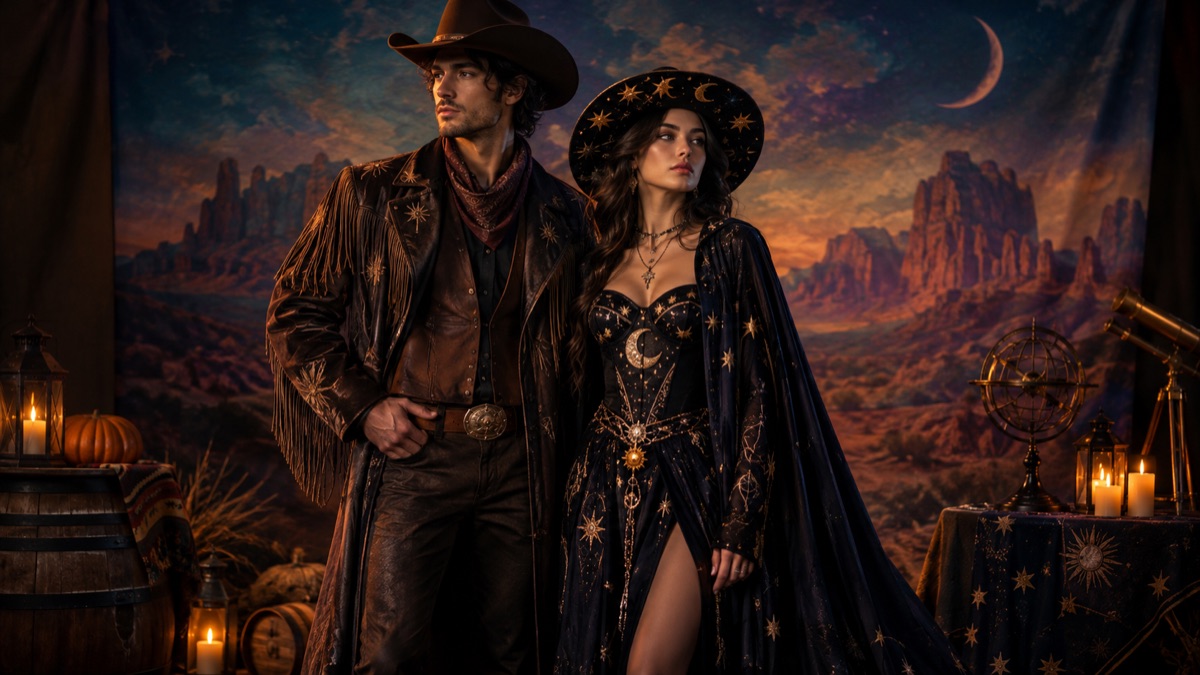
Twelve Ideas, Grouped by Difficulty
Easy: Cowboy and Angel (leather and feathers), Disco Duo (two 1970s silhouettes), Vampire and Guest (black velvet and ivory lace). Medium: Medusa and Stone Man (sculptural hair and grey texture), Pirate and Merfolk (weathered coat and teal fabric), Space Duo (white suit and dark flight suit). Harder: a group cosplay with three or more characters, matching armour with full helmets, or any look that depends on a specific actor's face.
For an AI portrait, easy does not mean boring. It means the model has fewer details to invent. A strong silhouette and a clear shared colour will look better than a complicated costume that merges into a blob. Save the complexity for the real-life costume and keep the AI image simple.
- Cowboy and Angel: warm leather plus ivory feathers.
- Medusa and Stone Man: green sculptural plus grey texture.
- Disco Duo: orange suit plus lilac jumpsuit.
- Vampire and Guest: black velvet plus ivory lace.
- Pirate and Merfolk: weathered brown plus teal and shell.
- Space Duo: white exploration suit plus dark flight suit.
How to Plan a Two-Person AI Portrait
Upload two separate portraits, not one group photo. A group photo usually has one person in focus and the other in shadow. Two clean portraits give the model a better read of each face. Put the photos in the order the prompt expects; if the outfits come back reversed, switch the order before changing the prompt.
The prompt should say 'exactly two people', preserve both identities and forbid a third person. It should also assign the costumes by person number. That sounds mechanical, but it is the difference between a coordinated portrait and a face-swapped guess. Check both faces and both pairs of hands before you share.
| Check | What good looks like | What to do if it fails |
|---|---|---|
| Faces | Both people recognizable | Use sharper photos or switch upload order |
| People count | Exactly two | Add 'no third person' and simplify the scene |
| Costume assignment | Person one and two in the right outfits | Switch upload order |
| Hands | Five fingers each, natural pose | Crop tighter or hide hands |
| Shared palette | One colour ties the looks together | Reduce to two main colours |
What to Avoid
Avoid full helmets, mascot heads and masks that hide both faces. The upload becomes pointless and the model has no identity to preserve. Avoid asking for a pet in the same frame; generate the pet separately. Avoid complex props such as swords, wings and lanterns in the same prompt; each prop is another object the model can merge with an arm.
Also avoid copying a specific celebrity couple or a film still. Use the idea, not the likeness. If you plan to sell the image or use it in advertising, check the rights around any character reference and keep the prompt original.
Making the Photo Look Like a Real Memory
The most convincing couple portraits have a shared light source and a simple story. Two people standing in the same room, lit by the same window, looking at the camera or at each other. That is enough. A composite with five light sources and a fantasy background looks like a poster, not a memory.
If you want a fantasy scene, keep the light motivated: a lantern, a fire, a neon sign. Put the two people in the same depth plane and give them a reason to be close. A shared glance or a hand on a shoulder reads as a relationship; two people floating in separate corners does not.
A Five-Minute Planning Routine
Pick one shared colour, one contrast and one prop. Choose the two silhouettes. Pick a light source and a background. Write the prompt in that order. Upload the photos in the matching order. Generate once, check the faces and hands, then decide whether the problem is the input or the prompt. That routine is faster than browsing a hundred costume lists and guessing. Before you generate, decide what you will do with the image. A card, a social post and a party invitation need different crops. A card usually works best as a square or portrait; a social post can be vertical; an invitation needs space for text, so keep the subjects off-center. Generate once for the composition and crop for each use rather than generating a new image for every format. If one person is uncomfortable with AI, do not upload their photo. Use a stock couple image for the styling reference and take a real photo at the party. The tool is optional; consent is not. If you are buying costumes, choose pieces you would wear separately. A cowboy jacket and a simple angel dress can both live in a wardrobe after Halloween; a single-use prop usually does not. That is a better use of the budget than matching jumpsuits that photograph well once and never leave the closet. If you are generating the portrait before the party, use the image to test the colour combination, not the exact garment. A generated cowboy hat and a real one will not match stitch for stitch, and that is fine. The image is a planning tool; the real photo is the memory. Keep both and label the AI one clearly.
Frequently asked questions
Can AI generate a couple costume photo from two selfies?
Yes. Use two clear portraits, a prompt that preserves both identities and a preset that assigns a costume to each person. Check both faces before sharing.
Why do our faces get swapped?
Face swapping is a known limitation when two subjects are close together. Sharper photos, more separation and a simpler scene reduce the risk.
Can we add our dog to the couple photo?
Generate the pet separately with the pet tool and combine the images in an editor. A three-subject prompt usually produces distorted anatomy.