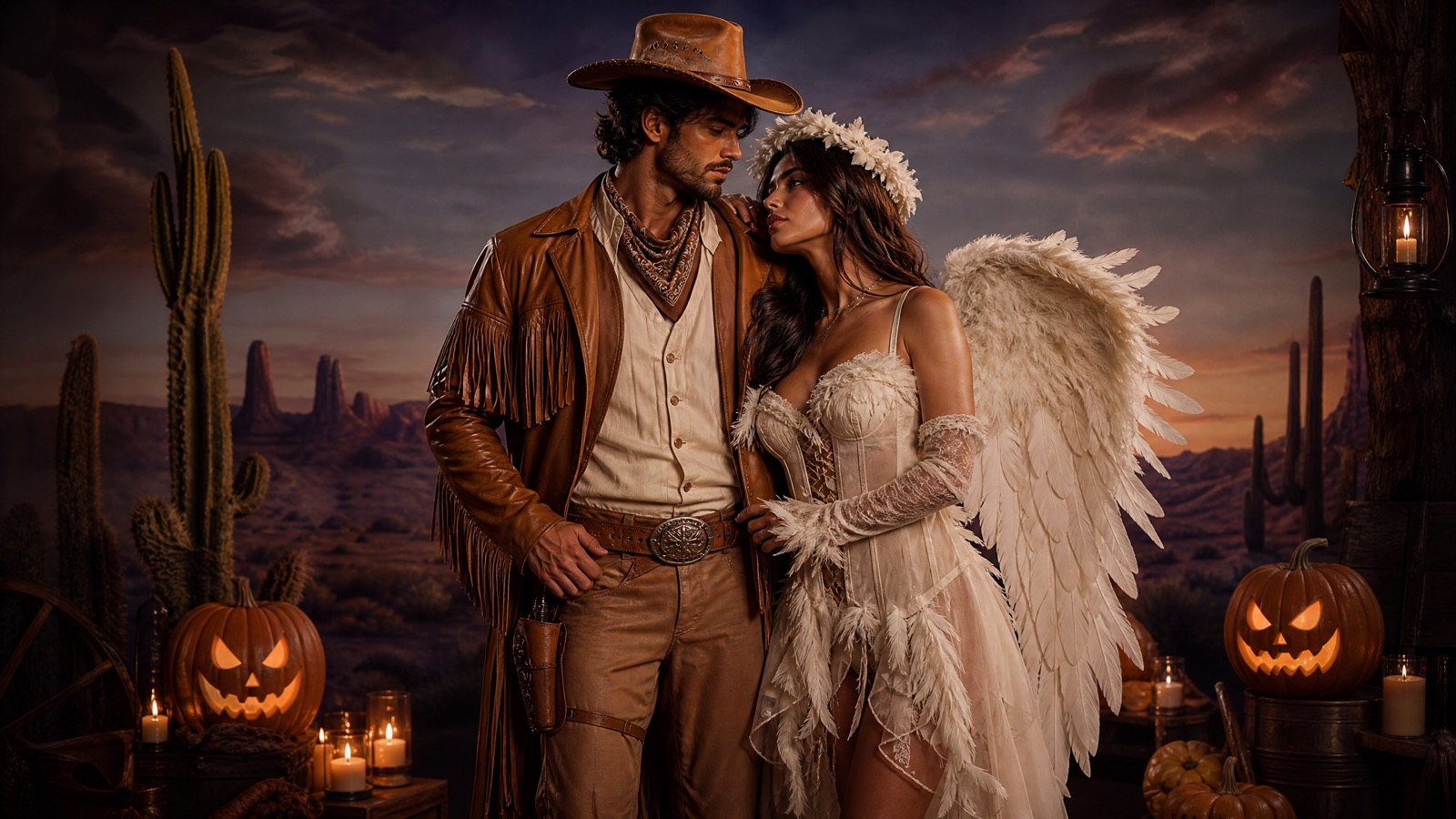
Original concept art generated with GPT Image 2 for this guide.
Two photos, one look
Halloween Couple Costume Generator
Couple costumes are a coordination problem. This tool accepts two photos, keeps both faces separate and generates one scene with a shared art direction. No face swapping, no surprise third person.
Updated
2 free images per day and 1 video per week. No sign-up.
Use the two uploaded photos as references. Create a coordinated Halloween couple portrait with exactly two people. Preserve both people's recognizable facial identities, skin tones, body proportions and natural anatomy. Dress one person in an original western cowboy costume with a suede jacket, woven shirt, leather hat and warm earth tones. Dress the other person in a soft feathered angel costume with ivory layers, a subtle halo accessory and silver details. Place them side by side in a warm studio with a painted desert backdrop and soft haze. Use photorealistic editorial portrait photography. Do not swap faces, add a third person, duplicate limbs, or add text and watermarks.
We do not store your photo. The provider processes it under its own retention policy.
Why Two Photos Beat One Group Photo
A single group photo often has one person in focus and the other in shadow. Two separate portraits give the model a clean read of each face. The prompt then places both people in the same scene and assigns one costume to each. This is still a hard task: the model can swap faces or blend features. Clear, front-facing photos and a simple preset reduce that risk.
Choosing a Coordinated Theme
The best couple costumes share a visual language without wearing the same outfit. Cowboy and Angel contrasts warm leather with soft feathers. Medusa and Stone Man contrasts sculptural green with grey texture. Disco Duo uses two different silhouettes from the same decade. Pick a theme with one shared colour and one deliberate contrast; the result reads as a couple rather than two people at different parties.
Photo Order Matters
Upload the first person in the slot that matches the preset's first costume. The prompt refers to person one and person two, so reversing the order reverses the outfits. If the result assigns the wrong costume, switch the upload order before changing the prompt. That is faster than generating again with the same inputs.
What to Check Before Posting
Check both faces, both pairs of hands and the number of people in the frame. Couple generations are more likely to add a third figure in the background or merge an arm. If the composition is good but one face drifted, try a tighter crop of that person's original photo and generate again.
How it works
Pick a duo preset Choose the pairing that matches your costume idea.
Upload two portraits Use one clear photo per person, in the preset's order.
Generate The prompt keeps two identities and one shared scene.
Check faces and hands Download only after both people look recognizable.
Frequently asked questions
Can I use photos of two different people?
Yes, as long as you have their permission. Do not upload photos of people who have not agreed to an AI edit.
Why did the AI swap our faces?
Face swapping is a known limitation when two subjects are close together. Try a preset with more separation, use sharper photos, or generate one person at a time and composite in an editor.
Can I add a pet to the couple photo?
The couple presets are written for exactly two people. Adding a pet usually produces a third subject with distorted anatomy. Generate the pet separately with the pet tool and combine the images in a photo editor.