The Trends That Photograph Well
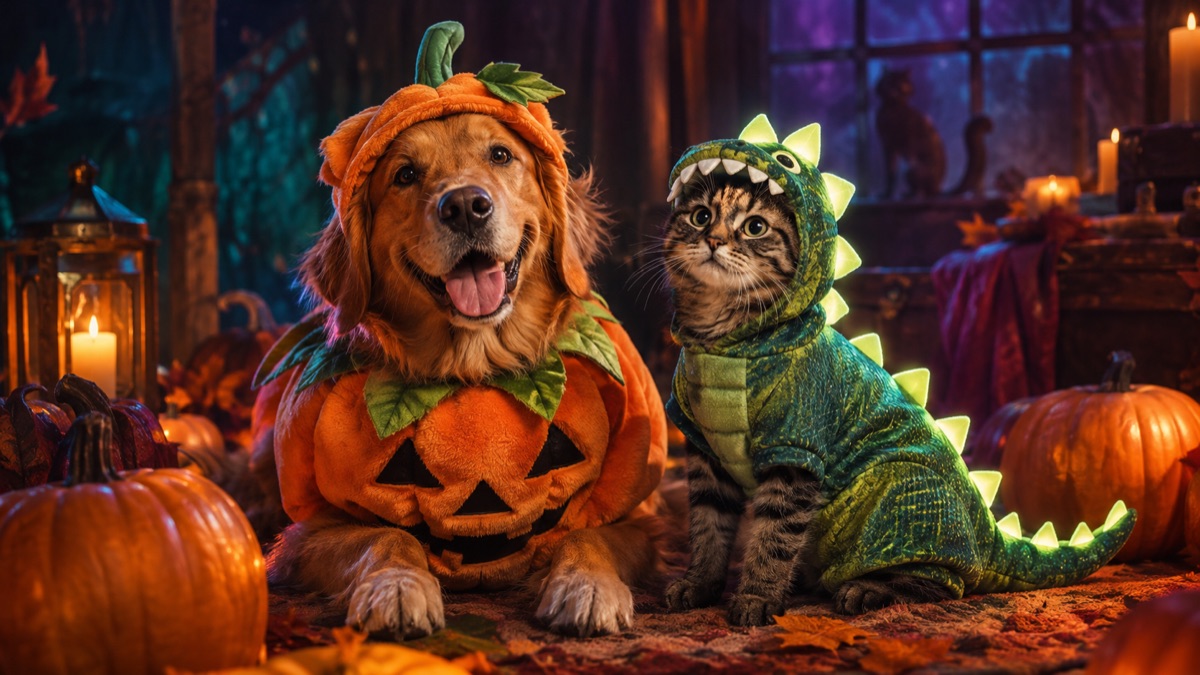
The playful pet searches this year are food and glow themes: baked potato, stick of butter, glow-in-the-dark dinosaur, pumpkin. These work because the silhouette is simple and the joke reads in a thumbnail. A pet in a complicated armour costume can look impressive in person but muddy in a photo, especially on a phone at night.
If you want a costume that works in both real life and photos, choose a soft body piece with a clear shape and no face covering. The costume should leave the eyes, ears and muzzle free. That is also the rule for AI: a costume that covers the face makes the model lose the animal's identity.
Safety Rules for Real Pets
A costume is not worth a stressed animal. Check that the pet can breathe, see, hear, drink and move normally. Avoid anything tight around the neck, anything that covers the eyes, and anything with small parts that can be chewed off. Introduce the costume slowly, reward calm behavior and take it off at the first sign of distress.
Never leave a costumed pet unattended. Never use a costume as a restraint. If the pet freezes, tries to back out, pants heavily or refuses to walk, stop. A photo of a happy pet in a simple bandana beats a photo of a miserable pet in a perfect costume.
- Eyes, ears, nose and mouth must stay clear.
- No small detachable pieces or long dangling cords.
- Test the costume for two minutes before the party.
- Keep the session short and reward with treats.
- Skip costumes for flat-faced breeds in warm rooms.
Why Pet AI Portraits Fail
Pet models often change the breed. A terrier becomes a generic fluffy dog; a tabby becomes a random orange cat. They also struggle with paws, tails and eye colour. The fix is the same as with human portraits: state what must be preserved. Breed, fur colour, distinctive markings, eye colour, facial appearance and natural anatomy should all be named in the prompt.
The second failure is the costume covering the face. A ghost sheet over the eyes, a full hood or a mask removes the features that make the pet recognizable. Ask for a costume that sits on the body and leaves the face visible. If you want a ghost theme, use a loose sheet around the body with a clear face opening, or generate the ghost effect as a separate background element.
The Best Photo for a Pet Edit
Take the photo at eye level. Get the whole head and most of the body in frame. Use soft, even light and a background that contrasts with the fur. A dark dog on a dark sofa is hard to separate; a dark dog on a light floor is easy. A treat held just above the camera gets a forward-facing expression without a handler in the frame.
Avoid motion blur, red-eye and heavy shadow. If your pet will not sit still, take a burst and pick the sharpest frame. A slightly imperfect expression is fine; a blurry face is not.
| Costume | Photo difficulty | Why |
|---|---|---|
| Pumpkin | Low | Simple round silhouette, clear colour. |
| Baked potato | Low | Rectangular shape, soft fabric. |
| Stick of butter | Low | Simple wrapper, no small props. |
| Glow dinosaur | Medium | Spikes and glow need a dark background. |
| Lion mane | Medium | Ear shape must stay intact. |
| Full character cosplay | High | Too many props and face coverings. |
What to Do With the Result
Use the portrait for a card, a social post or a group chat. Do not use it as a product photo for a real costume. An AI image can misrepresent the fit, the material and the safety of a physical product. If you are selling a costume, photograph the real item on a real pet with the owner's permission.
If you want a video, animate the portrait with a tiny head tilt or ear flick. Avoid a walk cycle; pet anatomy breaks quickly in motion. A five-second clip of a blinking, head-tilting pet is more shareable than a chaotic action scene.
A Quick Buying Checklist
If the AI portrait convinces you to buy a real costume, check the sizing chart by chest girth, not by breed name. Read the material and washing instructions. Look for adjustable closures and a leash opening. Check reviews for pets of a similar size and shape. And measure your pet while standing, not sitting, because the costume has to fit in motion. One more welfare note: an AI portrait can make a costume look more comfortable than it is. A tight hood, a heavy cape or a mask can look adorable in a generated image and cause stress in real life. Use the image to choose a colour and a theme, then buy a simple, soft costume that fits the safety rules above. If the product photos show a pet with its ears flattened or its mouth open in a pant, treat that as a warning, not a cute expression. For the AI image itself, keep the costume simple. Food costumes and soft body pieces read best. Avoid props that touch the face, and avoid asking the model to add a leash, a collar tag or a second animal. Those details are where pet generations break. Take five minutes to shoot a clean portrait before you start generating; the photo is the real input, and a calm pet with soft light will beat a fancy prompt every time. If your pet will not sit for a portrait, ask someone to hold a treat just above the phone while you shoot. Keep the handler out of the frame, take a burst and choose the sharpest image. A slightly tilted head is fine; a blurry eye is not. The same photo can be reused for several presets, so one good session is worth more than ten rushed ones.
Frequently asked questions
Can I generate a pet costume portrait for free?
Yes, within the studio's daily free limit. Upload one clear pet photo and choose a preset.
Will the AI keep my pet's markings?
The pet prompts explicitly preserve breed, fur colour, markings, eye colour and anatomy. A clear, well-lit photo improves the result.
Is it safe to put a real pet in a costume?
Only if the costume leaves the eyes, ears and muzzle free and the pet can move normally. Stop immediately if the pet shows distress.