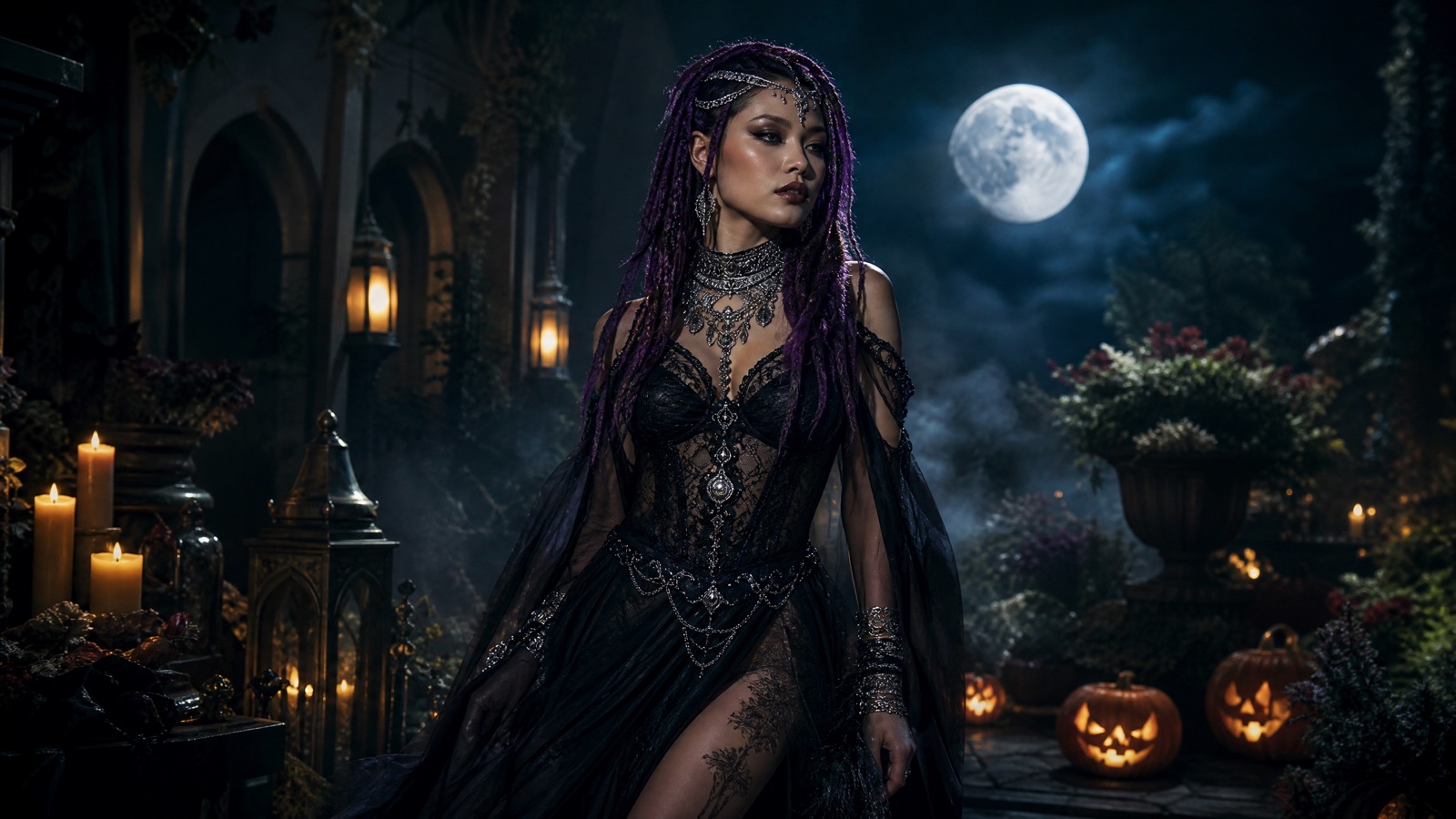
Original concept art generated with GPT Image 2 for this guide.
Selfie to costume
AI Halloween Costume Generator
Upload one clear selfie, choose a costume preset and get a photorealistic Halloween portrait that still looks like you. The prompt protects your face, skin tone and body proportions while changing the hair, outfit, background and lighting.
Updated
2 free images per day and 1 video per week. No sign-up.
Use the uploaded photo as the primary reference. Transform the subject into an original gothic Halloween fashion portrait. Change the hairstyle into long violet braids decorated with delicate silver hair accessories. Replace the clothing with an elegant black-and-purple velvet outfit featuring subtle lace and metallic details. Place the subject in a moonlit Victorian garden with soft fog, glowing lanterns and dark autumn foliage. Use photorealistic editorial photography with realistic skin texture, natural fabric details and cinematic lighting. Preserve the subject's recognizable facial identity, facial proportions, skin tone, approximate age and natural anatomy. Keep the same number of people as the uploaded photo. Avoid altered facial identity, extra limbs, duplicated fingers, distorted anatomy, text, logos and watermarks.
We do not store your photo. The provider processes it under its own retention policy.
What Makes a Good Upload
Use a sharp, front-facing photo where your face is not covered by hair, a hat or a phone. Daylight or soft indoor light works better than a dark room with one strong lamp, because the model needs to read your features before it changes the costume. A plain background is helpful but not required. Avoid group photos, heavy filters and mirrored selfies where the phone hides part of the face. If you wear glasses, expect the model to keep or remove them depending on the preset; the prompt asks it to preserve the face rather than every accessory.
Why the Prompt Mentions Identity So Often
Costume generators fail in a predictable way: the outfit looks great, but the person is no longer recognizable. The presets avoid that by repeating the identity constraints in plain language. They also limit the number of people, forbid extra limbs and ask for realistic skin and fabric texture. This is not a guarantee. Image models can still change a jawline or invent an earring. Treat the first result as a draft and try a second preset or a cleaner upload if the face drifts.
Best Costume Ideas for 2026
The strongest searches this season are not generic 'halloween costume'. They are specific looks: haunted unicorn mascots, celestial princesses, gothic braids, forest witches and sci-fi armour with a visible face. The costume page includes those presets because they photograph well and keep the person recognizable. If you want a couple or a pet, use the dedicated tools instead of squeezing two subjects into a single-portrait prompt.
What to Do With the Result
Download the image for a profile photo, a party invitation or a group chat. If you want motion, open the AI Halloween Video Generator and animate the result with a slow turn or candle flicker. If you want a different background, use the Halloween Photo Editor rather than rerunning the costume prompt. Keeping one job per generation produces cleaner results.
How it works
Pick a costume preset Choose one of the six portrait looks above.
Upload a front-facing selfie Use a photo with even light and no other people.
Accept the photo-rights note Only upload a photo you own or have permission to edit.
Generate The first image is usually ready in under a minute.
Frequently asked questions
Will the AI costume generator keep my face?
The prompt explicitly protects facial identity, skin tone and body proportions, and the preset keeps the same number of people. Most results stay recognizable, but a clean front-facing upload improves the odds.
Can I generate a costume for two people?
Use the Halloween Couple Costume Generator. It accepts two photos and uses a prompt written for two identities so the faces are less likely to swap.
Do I need an account?
No. The studio does not require a login. Free limits are applied per visitor and per day.
What if the result looks distorted?
Try a sharper photo, choose a preset with a simpler silhouette, or generate again. Hands and jewellery are the most common failure points; the prompts already forbid extra fingers and duplicated limbs.