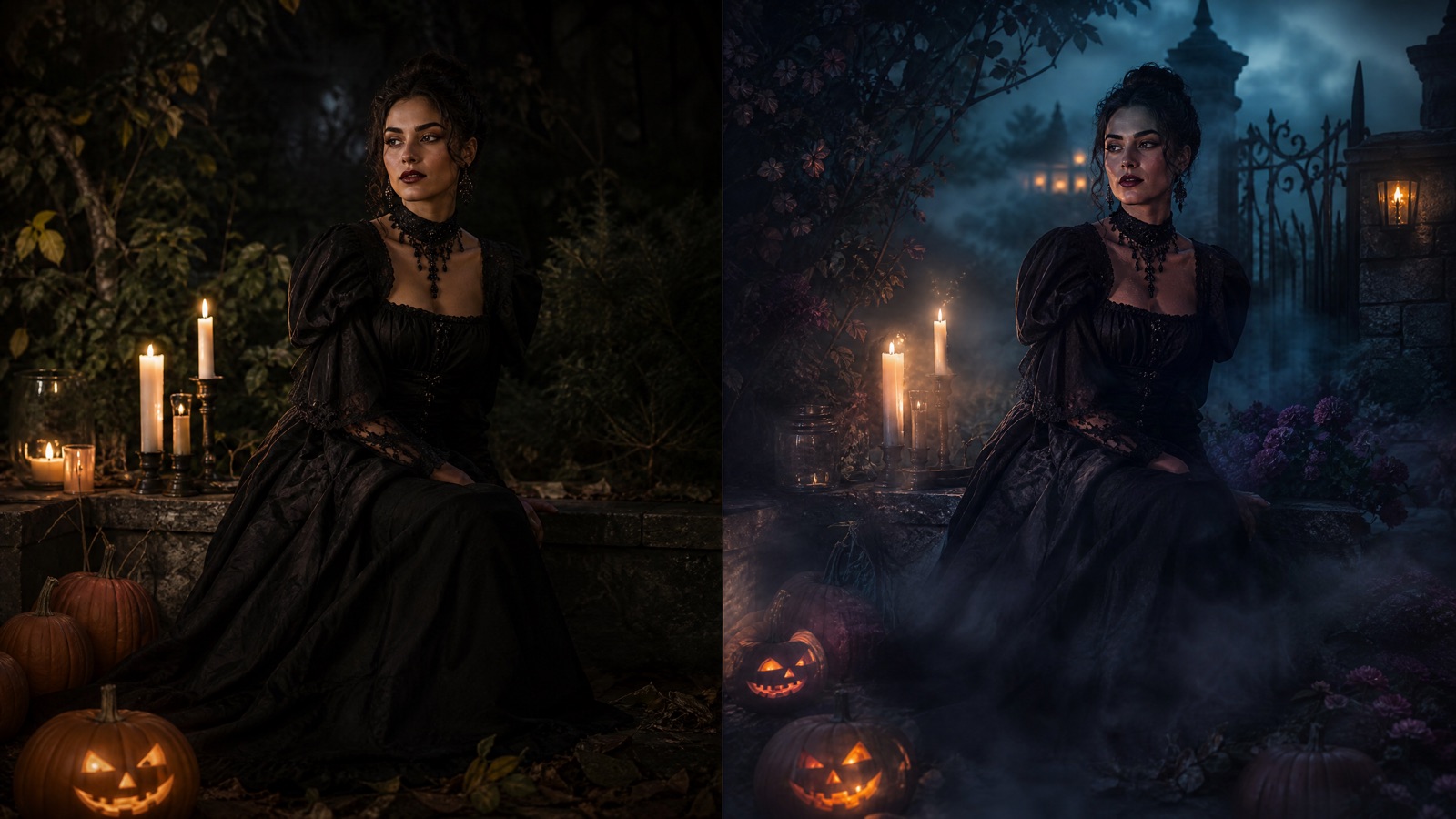
Original concept art generated with GPT Image 2 for this guide.
Edit, don't replace
Halloween Photo Editor
This editor changes the mood around you instead of replacing you. Add fog, candlelight, a haunted garden or a club-ready makeup look while the prompt keeps your face and body proportions intact.
Updated
2 free images per day and 1 video per week. No sign-up.
Edit the uploaded portrait into an original skeleton glam Halloween makeup look. Preserve the subject's recognizable facial identity, skin texture and facial proportions. Apply fine, hand-painted bone contours around the eyes, cheeks and jaw, blended with smoky eyeshadow, deep berry lips and subtle silver highlighter. Keep the makeup realistic and wearable, not a full mask. Dress the subject in black satin with a single silver earring. Use close-up beauty photography with soft directional light and a dark warm background. Preserve the subject's recognizable facial identity, facial proportions, skin tone, approximate age and natural anatomy. Keep the same number of people as the uploaded photo. Avoid altered facial identity, extra limbs, duplicated fingers, distorted anatomy, text, logos and watermarks.
We do not store your photo. The provider processes it under its own retention policy.
Edit vs. Generate: Know the Difference
A generator invents a new scene. An editor keeps the original framing and changes specific parts. This page is built for the second job. The prompt starts from your photo, preserves the face and pose, and only changes the makeup, clothing and background. That makes it the better choice for a photo you already like, especially one taken at a party where the lighting was poor.
Four Reliable Edits
Skeleton Glam adds fine bone contours and smoky eyes without turning the face into a mask. Neon Zombie uses violet contour and acid-green highlight for club photos. Forest Witch replaces the background with mist, fireflies and a distant campfire. Midnight Braids changes the hair and outfit but keeps the portrait composition. Each preset is a complete instruction set, so you do not need to write a prompt.
How to Avoid the Uncanny Look
The most common mistake is asking for too many changes at once. If you want a new background, new hair, new makeup and a new outfit, the model has four chances to drift. Start with one edit, check the face, then run a second pass if needed. Keep the original photo at a reasonable resolution and avoid heavy beauty filters before uploading; the model reads filtered skin as the real texture and may amplify it.
Background and Lighting Notes
Dark backgrounds with one warm light source produce the most convincing Halloween portraits. The presets ask for practical light sources such as lanterns, candles or neon signs rather than a flat studio backdrop. If your original photo was taken in bright daylight, expect the model to relight the face; that is normal, but it can change skin tone slightly. Compare the result with the original before posting.
How it works
Choose an edit Pick a makeup or background preset.
Upload the original Use the sharpest version of the photo, not a screenshot.
Generate The editor preserves the pose and changes the selected elements.
Compare and download Check the face and hands before saving.
Frequently asked questions
Can I remove a background object?
The current presets replace the background rather than performing object removal. Choose a preset with a new scene and the model will rebuild the area behind you.
Will the editor change my face?
The prompt asks the model to preserve facial identity and proportions. Makeup edits intentionally change the surface of the face, so compare the result with the original before using it.
Does it work on pet photos?
Use the Halloween Pet Costume Generator. Pet faces need different anatomy constraints, and the pet presets are written for fur, muzzle and paw details.