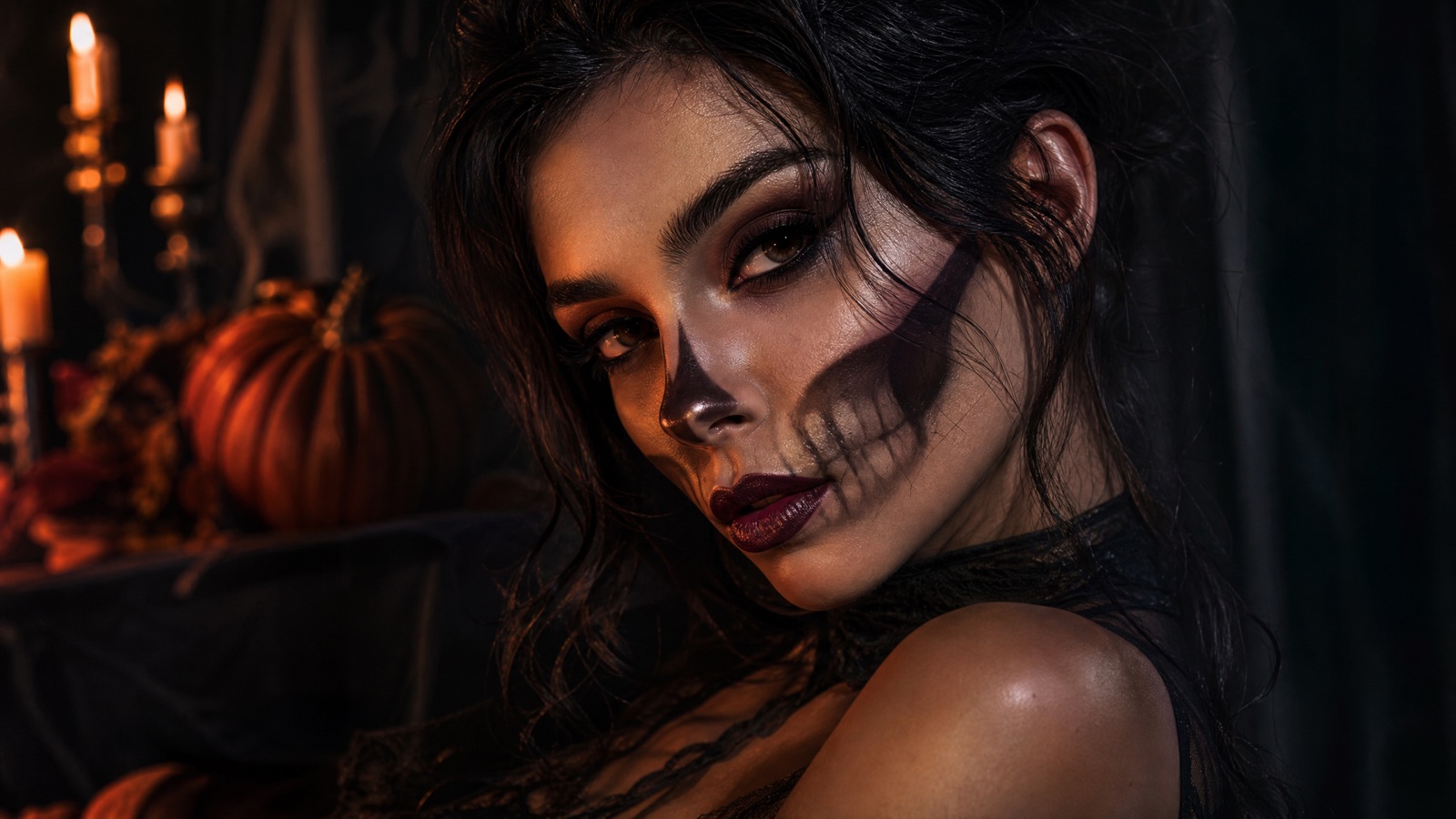
Original concept art generated with GPT Image 2 for this guide.
Makeup preview
Halloween Makeup Generator
Before you buy a palette or book a makeup artist, preview the look on your own face. Upload a clean portrait and generate a realistic skeleton, zombie or witch makeup edit that keeps your features and skin texture.
Updated
2 free images per day and 1 video per week. No sign-up.
Edit the uploaded portrait into an original skeleton glam Halloween makeup look. Preserve the subject's recognizable facial identity, skin texture and facial proportions. Apply fine, hand-painted bone contours around the eyes, cheeks and jaw, blended with smoky eyeshadow, deep berry lips and subtle silver highlighter. Keep the makeup realistic and wearable, not a full mask. Dress the subject in black satin with a single silver earring. Use close-up beauty photography with soft directional light and a dark warm background. Preserve the subject's recognizable facial identity, facial proportions, skin tone, approximate age and natural anatomy. Keep the same number of people as the uploaded photo. Avoid altered facial identity, extra limbs, duplicated fingers, distorted anatomy, text, logos and watermarks.
We do not store your photo. The provider processes it under its own retention policy.
Why Makeup Is a Good AI Edit
Makeup changes the surface of the face, not the identity. That is a much easier AI edit than a full costume change. The model can add bone contours, smoky eyes, berry lips and highlighter while keeping the underlying face. The result is a useful preview for planning a real look, especially if you are deciding between subtle and theatrical.
Skeleton Glam
This look uses fine bone contours around the eyes, cheeks and jaw, blended with smoky eyeshadow and a deep berry lip. It is designed to be wearable: the contour reads as makeup up close, not as a full skull mask. Ask for a close-up crop if you want to study the blending.
Neon Zombie
The neon zombie uses violet contour, acid-green highlight and smudged liner. It is built for dark party photos and club lighting. The prompt keeps the skin believable and avoids gore, because heavy wounds often change the facial identity and look fake under phone flash.
Planning a Real Makeup Look
Save the generated image and use it as a reference for a makeup artist or for your own shopping list. Note the products implied by the result: a fine liner brush, a violet cream contour, a green shimmer and a setting spray. AI cannot tell you which formula suits your skin, so patch-test anything new and avoid sharing makeup tools.
How it works
Upload a clean portrait Use natural light and no heavy existing makeup.
Choose a makeup preset Skeleton, neon zombie or forest witch.
Generate The edit keeps the face and changes the makeup.
Save as a reference Use the image when planning the real look.
Frequently asked questions
Can I preview makeup without uploading my face?
The generator needs a portrait to edit. If you do not want to upload your own face, use the prompt library to study the look and run it on a stock photo in another tool.
Will the makeup look realistic?
The prompts ask for realistic skin texture and wearable makeup. Results are best in soft, even light; harsh shadows can make contour lines look painted on.
Can I use this for a makeup artist brief?
Yes, as a visual reference. A human artist still needs to adapt the look to your skin tone, face shape and products.